Let me be honest with you. I did not believe this at first.
I was working late. One thumbnail was left. Just one. The background was messy, the light was bad, everything was off. And I was stuck on that one photo for almost 40 minutes.
I was thinking, when will this daily struggle end?
Then I saw a reel. A guy was saying, now you can talk to Photoshop, and it will edit for you. I thought, this is another fake hype. Every week, a new tool comes.
But I gave it two minutes. And those two minutes saved me two hours.
I kept hearing about Adobe Claude MCP everywhere, and I finally decided to try it instead of ignoring it.
What Is This Thing Actually?
Do not get scared by the name. MCP means Model Context Protocol. Big name, simple job.
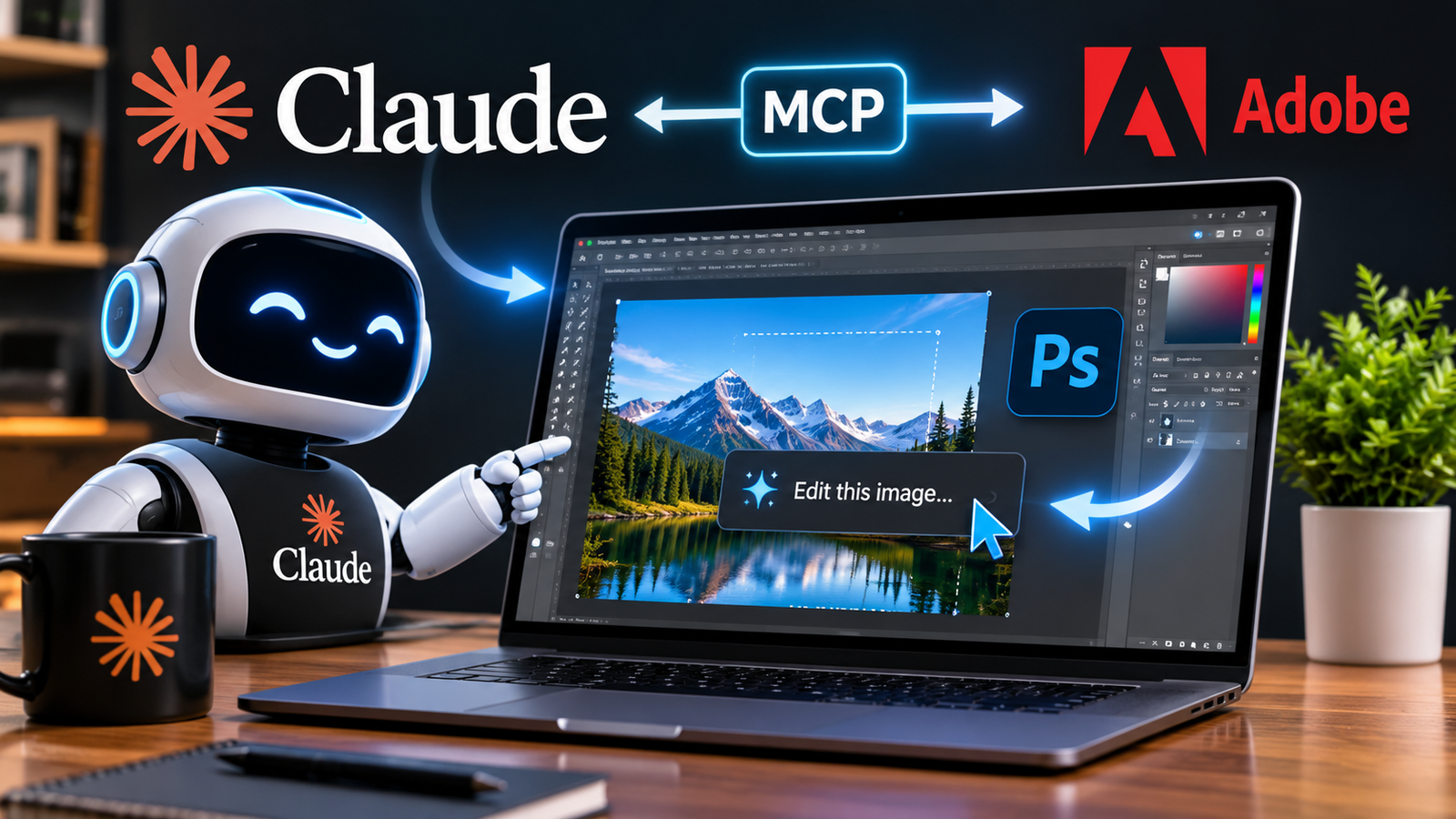
Think of it like this. Claude is the brain. Photoshop is the hands. Before, they could not talk to each other. Now they can.
Adobe Claude MCP is not a new app. It is not a new Photoshop. It is just a bridge, a connection.
You tell Claude, make this photo brighter. Claude tells Photoshop. Photoshop does it. In your real file. With your real layers.
No download. No upload. No copy-paste. You just say it.
To save the prompts that actually worked for me, I used free AI transcription tools, because I always forget what I said that worked last time.
Why Does This Even Matter?
It matters because it saves your real time.
Before, one small task- removing a background, making text bigger, fixing colors- would take 30 to 40 minutes. Because you had to find the tool, find the layer, then fix your mistake and do it again.
Now you type, remove the background, make it clean. Done.
In Adobe Claude MCP, you do not need to remember 100 tools. You just need to remember what you want.
You stop clicking. You start asking. And once you get used to it, the old way feels very slow.
I felt it myself. I tried the old way for one photo; I got bored. I came back to this.
What I Actually Did
I took a product photo. A bottle on a table. The background was messy.
I typed, ” Remove the background and make the product look clean.
It did it. Not perfect, but 80% right.
Then I typed, make it a bit brighter, add a soft shadow. Not too dark.
It did it again in 10 seconds.
Adobe Claude MCP really shines in these small, boring edits, the ones that eat your whole evening for no reason.
Old way, 40 minutes. New way, 4 minutes. I checked the time myself; I could not believe it.
Is it perfect every time? No. Sometimes it makes it too white. Sometimes it does not understand what you mean.
Then you just type again, no, not that white, just a little. And it fixes it. Just like you would explain work to a new assistant. First it feels awkward, then it feels easy, then you get used to it.
How Does It Work?
Let me make it very simple.
Imagine you have a translator. You speak English. Photoshop speaks its own language. The translator sits in the middle and helps both talk.
That is MCP. That is the whole job.
You say, I want to remove the background. The translator changes it into Photoshop steps. Photoshop does it. The translator says back, done.
You do not see any of it. You only see the result. And that is how it should be.
You do not need coding for this. If you can log in to Gmail, you can do this. Just connect your Adobe account. That is it.
What Can It Do?
Not everything. I will not lie. It is not magic.
But it can do a lot of the daily boring work:
- Edit photos in Photoshop
- Change text and layers
- Resize for Instagram, YouTube, TikTok
- Remove background
- Fix colors
- Help with Illustrator files
- Help with Premiere edits
These tasks are good for it because they are the same every day. Same steps. Same clicks. Boring. And AI loves boring work. It does not get tired.
I tested Adobe Claude MCP on a real client photo, not a demo file, and that is when I actually started trusting it.
Start with one photo. One edit. Do not try to do everything on day one. I did that; I messed up. Learn from me.
The Biggest Thing No One Talks About
Speed is not the biggest thing. Speed is nice, but the real thing is something else.
The real thing is, your layers stay safe.
Old AI tools used to flatten your file. They gave you one flat image. After that, you could not change anything. If you did not like it, you had to start again.
This does not do that. It works in your real file. With your real layers.
You change the text; only the text layer changes. The rest stays the same. The background stays. The photo stays. Only text changes.
That is how a real designer works. Change one layer at a time; do not touch the rest.
That is why designers are excited. Not because it is AI. Because it respects their work. It does not destroy it.
Will This Actually Work?
Now, the honest part. I do not know if this will be perfect. Nobody knows.
Adobe Claude MCP doesn’t replace Photoshop; it just helps you use it faster with simple words.
It could become the biggest tool for designers. Or people could try it for one week and forget it. Both are possible.
My gut says the idea is right. Doing it well is hard. Really hard.
Right now it is still new. Sometimes slow. Sometimes it misunderstands you. Sometimes you have to type your prompt 2 or 3 times.
I did that too. The first time it made it too white, like a hospital photo. I typed again, not that clean, just a little clean. Then it got it.
So you have to learn how to talk to it. Like you learn how to talk to a new assistant.
Adobe has said it too. Work is still left. More apps. More tools. Better control.
If you want Adobe’s own words, go check Adobe’s official Creative Cloud page.
Should You Try It Or Not?
Yes. But not with the thinking that your job will end tomorrow. Try it like a new shortcut. A new trick.
We are living in a time when you can talk to Photoshop. Think about that. A few years ago, that sounded like a movie. Now it is real.
One day you will look back and laugh. You will remember how you used to click 50 times for one small edit. And now you just type one line. Just one line.
I think Adobe Claude MCP will change how small creators and designers work every single day, not in a big fancy way, but in small time-saving ways.
And Adobe has one thing others do not have. It has the real apps. Photoshop, Illustrator, Premiere. Real tools that real designers actually use.
So should you pay for it? Not yet. Try the free part first. See if it saves time. If it does not, leave it.
Should you learn it? Yes. 100% yes.
Because when this works well, it will not just be a new feature. It will be a new way to work.
For more details, check Anthropic’s official Claude page. I check it myself every few days.
FAQ
What is this tool?
It is a connection that lets Claude work directly inside your Photoshop and other Adobe files.
Does it replace Photoshop?
No. It does not replace Photoshop. It just helps you use Photoshop faster with plain words.
Is it free to use?
Basic use is free on Claude plans, but you need an Adobe account. Some tools need higher limits.
Do I need to know coding to use it?
No. You just connect your Adobe account and type what you want in simple words.
Can it edit my local files on my computer?
Yes, with the new local setup, it can work on your real files on your computer, with layers safe.